GHL themes that turn down the visual noise
A GHL theme restyles the whole GoHighLevel app at once: sidebar, header, cards, buttons, tables and page background. Choose from 27 themes and 11 UI kits, add a real dark mode, and try every combination below before you spend a cent.
Try a theme, a UI kit and dark mode
Loading the live preview
Care Desk. The real customizer engine is restyling a copy of the GoHighLevel dashboard. Click the menu, collapse it, or open the Save contact window inside the frame.
A GoHighLevel white label theme is a design layer loaded through GoHighLevel’s Custom JS setting. It replaces the stock colours, spacing and components across every page your team and clients open, while every feature, workflow and permission underneath stays exactly as it was.
Stock GoHighLevel uses the same bright blues for everyone. Practitioners who spend hours a day in it tell us the same thing: it feels like work software, not like their practice. A theme is the fastest fix because it changes everything in one decision.
You never write GHL custom CSS by hand. The editor generates it, keeps it in one install line, and updates it whenever you save.
Six themes wellness teams reach for first
Soft whites, sage greens, lilac and sand. Low contrast between surfaces, clear contrast for text. Start here, then change any colour.
Care Desk
Friendly support blue, split photo login.
Forest Finance
Deep green, side accents, calm & trustworthy.
Lavender Dream
Pastel lilac, soft & airy.
Pastel Mesh
Soft light theme, morphing colour login.
Aurora
Glass sidebar over a northern-lights photo.
Desert Sand
Earthy beige & terracotta, top bar.
GoHighLevel dark mode, without a browser extension
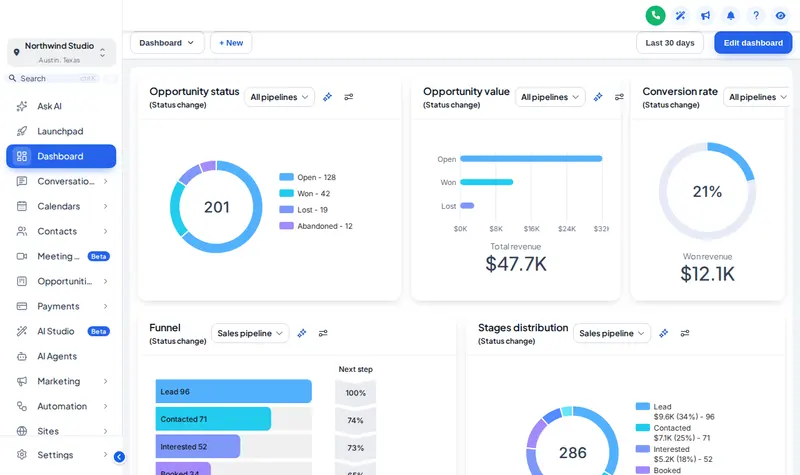
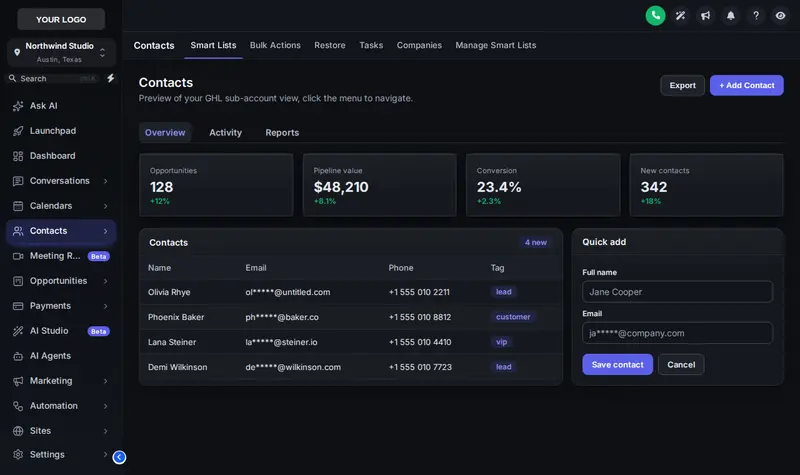
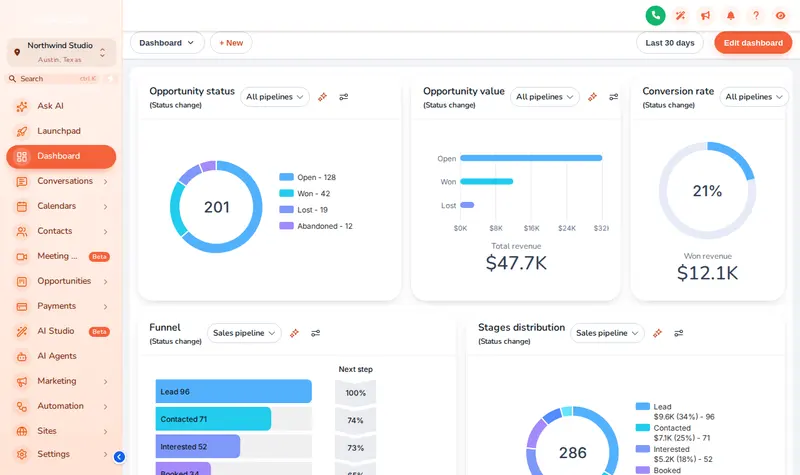
Our three demo looks: Care Desk with the Accent Top kit, Graphite Pro in dark mode, and Sunset Coral.
Themes for the way wellness teams actually work
- Nutrition and health coaches
A sage or sand palette that matches your website, so the client portal feels like the same calm brand.
- Practitioners who chart at night
Dark mode for the hour after the last session, with light text on deep surfaces.
- Clinics with a front desk
A top-bar layout gives wide calendars and conversation lists more room on smaller screens.
- Anyone who screen-shares
Privacy mode blurs client names, emails and phone numbers while you present or record.
Three steps to a new look
Pick a starting theme
Open the theme gallery in the editor and click one of the 27 themes. The preview shows it on a copy of your GoHighLevel at once.
Tune it to your practice
Add your logo and brand colour, choose one of 11 UI kits, decide on sidebar or top bar, and switch dark mode on if you want it.
Save, and it is live
After the one-time install, saving is all it takes: the new look reaches every user on their next page load.
First time? The one-line install is explained on the overview page.
How many GHL themes are included?
What is the difference between a theme and a UI kit?
Does GoHighLevel have a dark mode?
Can I use my practice colours instead?
Will a theme change my client-facing funnels?
Can separate brands have different themes?
Does a dark theme pass contrast for text?
Is a GHL custom CSS theme hard to maintain?
Explore the rest of the studio
Health and Wellness GHL Snapshot is independent and is not affiliated with, endorsed by or sponsored by HighLevel. GoHighLevel and HighLevel are trademarks of their owner. The customizer adds your own CSS and JavaScript on top of GoHighLevel through its Custom JS and CSS settings; it does not change HighLevel’s software. We are not a healthcare provider, and nothing here is medical advice.
A calmer GoHighLevel, today
Balance includes all 27 themes, 11 UI kits, dark mode and all 16 login designs for one payment of $207.
Packages from $207, paid once. Login emailed within minutes (max 24 hours).